ListingLab saves property listings from Zillow, Redfin & Realtor.com as you browse. Compare them side-by-side and export polished comparison sheets to send your clients.

Works with the sites you already use
ListingLab fits into your existing workflow. Browse listings like you normally do — the extension handles the rest.
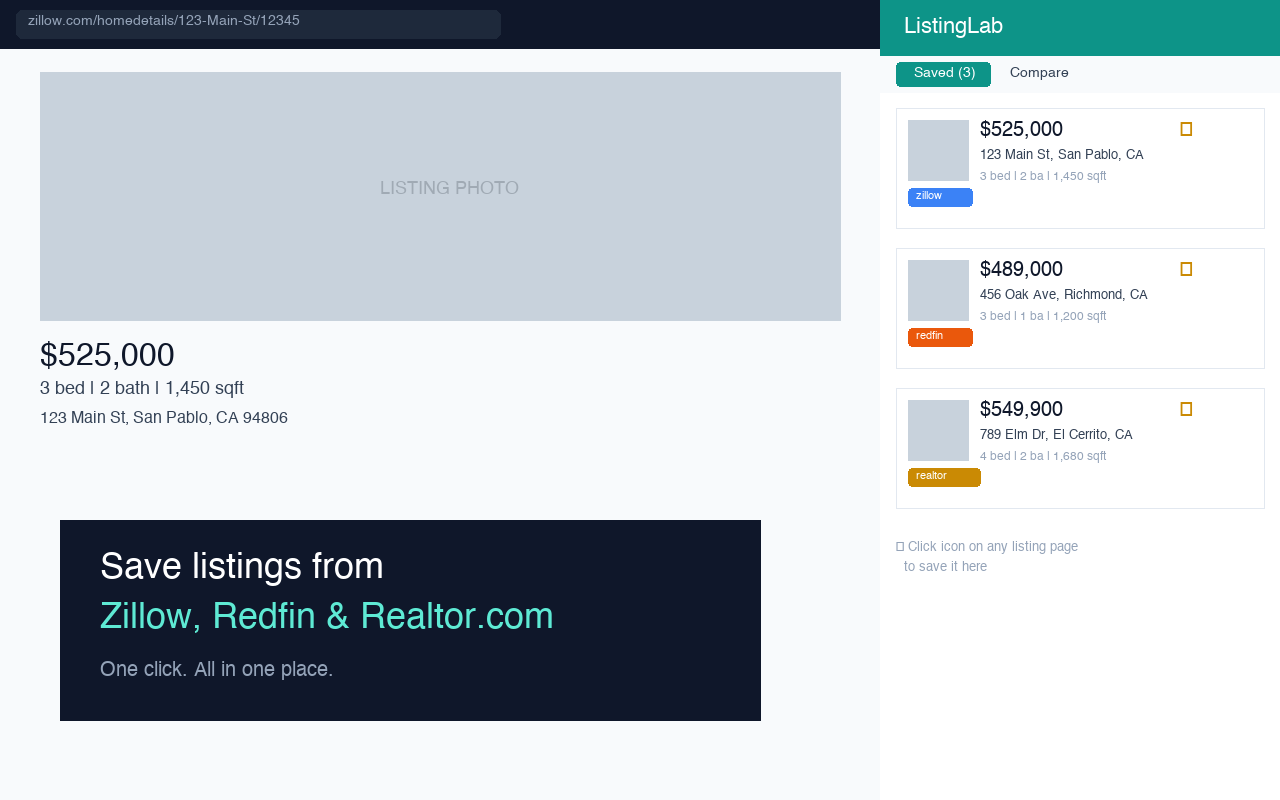
Visit any listing on Zillow, Redfin, or Realtor.com. Click the ListingLab icon to save it instantly.
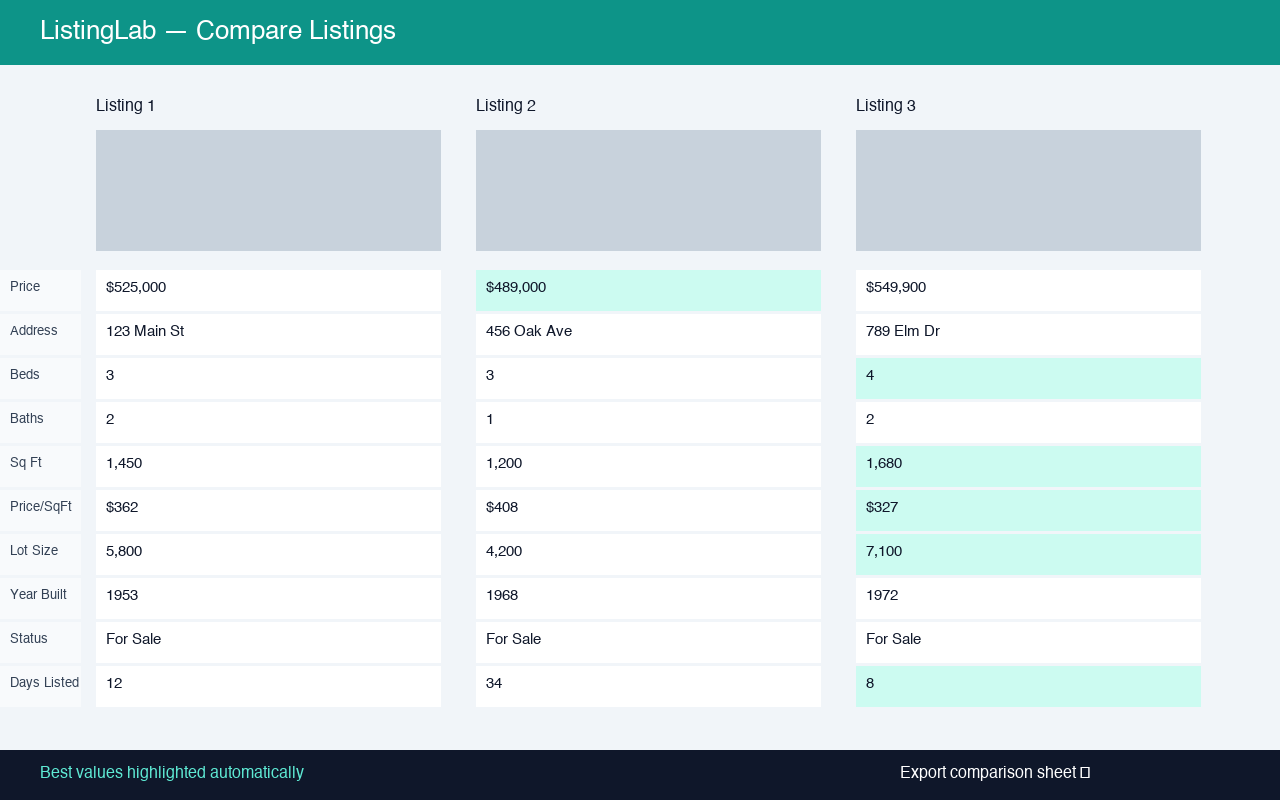
View all saved listings in a side panel. Select any to compare side-by-side with best values highlighted.
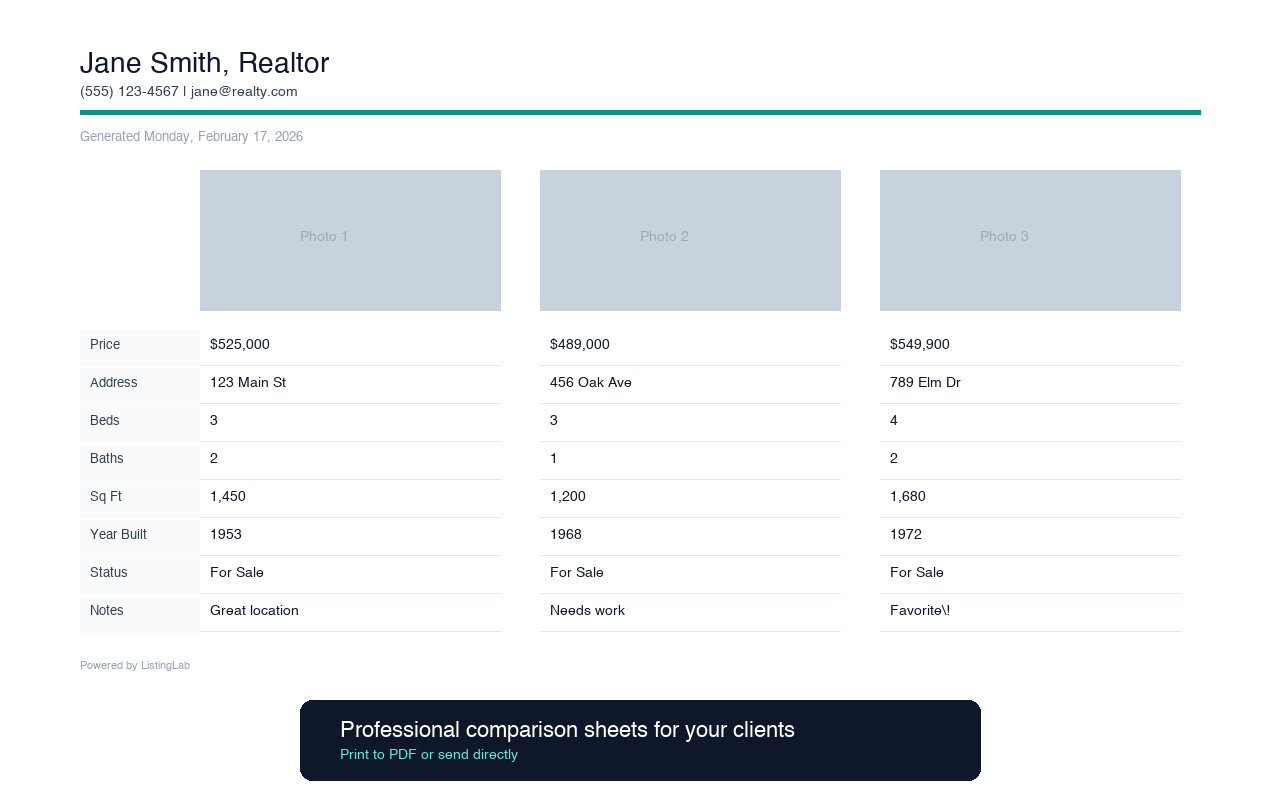
Generate a professional comparison sheet with your agent branding. Print to PDF and send to clients.
Built specifically for real estate agents who send listing comparisons to clients.
Auto-extracts price, beds, baths, sqft, photos, and more. No copy-pasting required.
Compare up to 10 listings at once. Best values like lowest price and most square footage are auto-highlighted.
Generate clean comparison sheets with your name and contact info. Ready to print or share as PDF.
Re-saving the same address updates the listing instead of creating a duplicate. Your list stays clean.
Add personal notes and mark favorites to track your picks as you research properties for clients.
All data stored locally in your browser. No server, no account, no tracking. Your data stays yours.
The side panel stays open while you browse — no tab switching, no lost context.
All listings, notes, and settings are stored in your browser. Nothing is sent to any server.
Install and start using it immediately. No sign-up, no email, no passwords.
Zero analytics. Zero telemetry. We don't know who you are or what you save.